Lightweight Screen Capture for Arch Linux
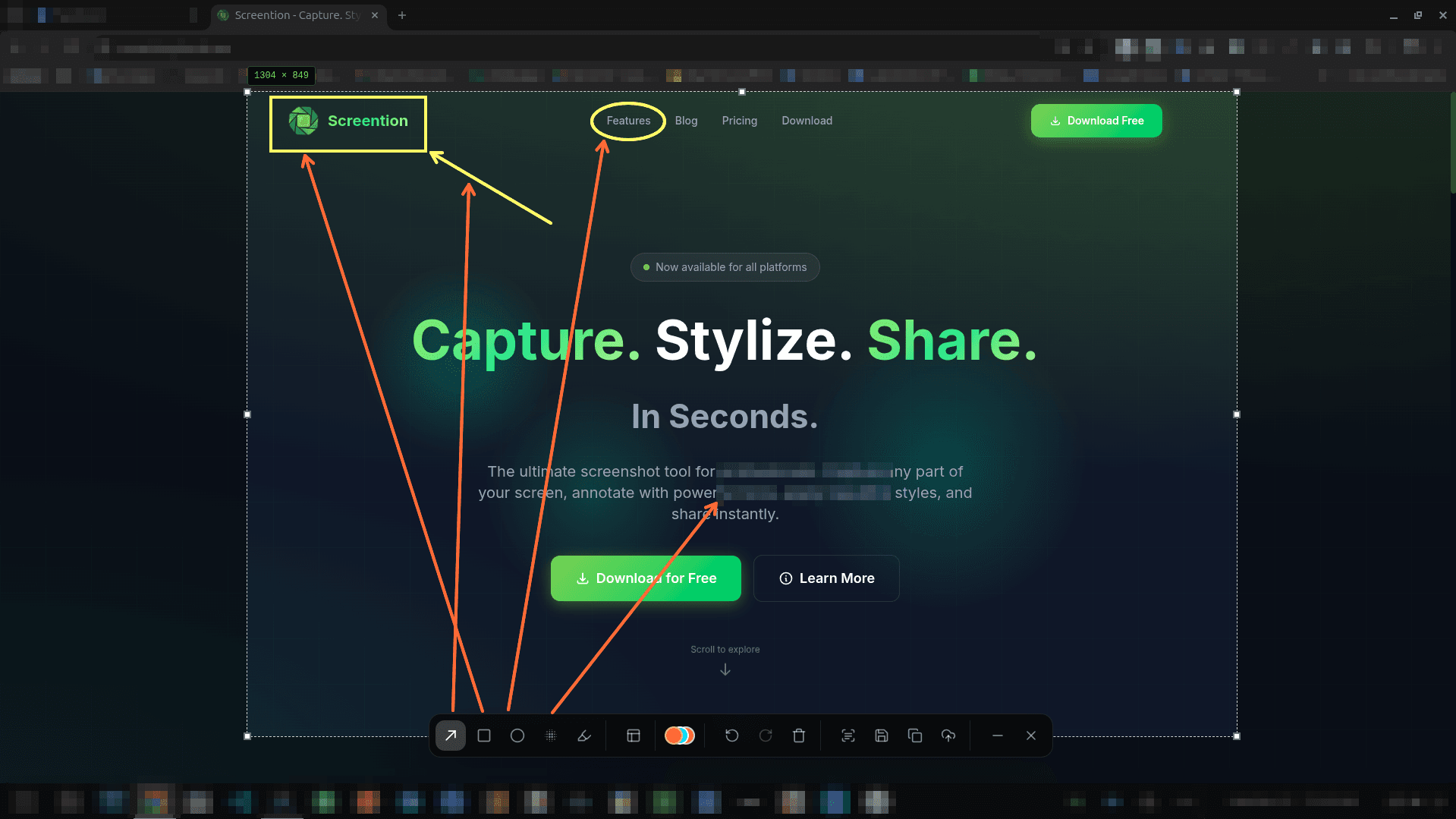
A minimalist, high-speed screenshot utility built with Rust. Capture regions with pixel accuracy, draw arrows and highlights, redact sensitive credentials, and extract text via offline OCR.
$ chmod +x screention_*.AppImage && ./screention_*.AppImagePortable universal Linux binary. For Wayland compositors without portal (Sway, Hyprland), install grim.
Minimalist footprint, maximum power
No desktop environment bloat. Designed for Arch users who demand control and performance.
Pixel-Precision Selection
Snip any window or screen region with live dimension readouts and arrow-key micro-stepping.
Arrows, Shapes & Markup
Draw crisp arrows, circles, boxes, and highlighters in 12 curated professional colors directly on your screen.
Instant Credential Redaction
Mask confidential server hostnames, tokens, and SSH keys with Gaussian blur or pixelate before sharing.
Offline OCR to Clipboard
Extract text from terminal buffers, logs, or error dialogs straight to your clipboard with zero network calls.
Grim & Wayland Integration
Built-in fallback to grim ensures flawless captures on Sway, Hyprland, and minimal Wayland sessions.
Lean Rust Architecture
Compiled native binary with no heavy Electron bloat and no complex Qt runtime dependencies — pure minimalist performance.
Hyprland & Sway Quick Setup
If you run a standalone Wayland compositor without a desktop portal backend, install grim for direct fallback captures:
$ sudo pacman -S grimScreention automatically detects grim and routes your screen capture request directly through the Wayland compositor buffer.
Frequently asked questions
How do I run Screention on Arch Linux?
You can download our portable universal .AppImage. Make it executable with chmod +x screention_*.AppImage and run it. It contains all required libraries and does not pollute your pacman package cache.
Does Screention work with tiling Wayland window managers like Hyprland and Sway?
Yes. In desktop environments with XDG Desktop Portal support, Screention captures via the portal. For standalone Wayland compositors (Hyprland, Sway, river), Screention includes automatic fallback to grim. Just ensure grim is installed via: sudo pacman -S grim.
How does Screention perform on Arch Linux?
Built with Rust and Tauri, Screention runs as a lean background utility with near-zero idle resource usage, triggering in milliseconds without overhead.
Can I bind it to a Hyprland or Sway keybinding?
Yes. In your hyprland.conf or sway/config, simply bind your desired key combination (e.g. bind = $mainMod, Print, exec, /path/to/screention.AppImage) or rely on Screention's built-in global hotkey daemon.
Does it work without an active internet connection?
Yes. Screention is 100% offline and local-first. Captures, annotations, and OCR text recognition take place entirely on your system.