Looking for Lightshot on Linux?
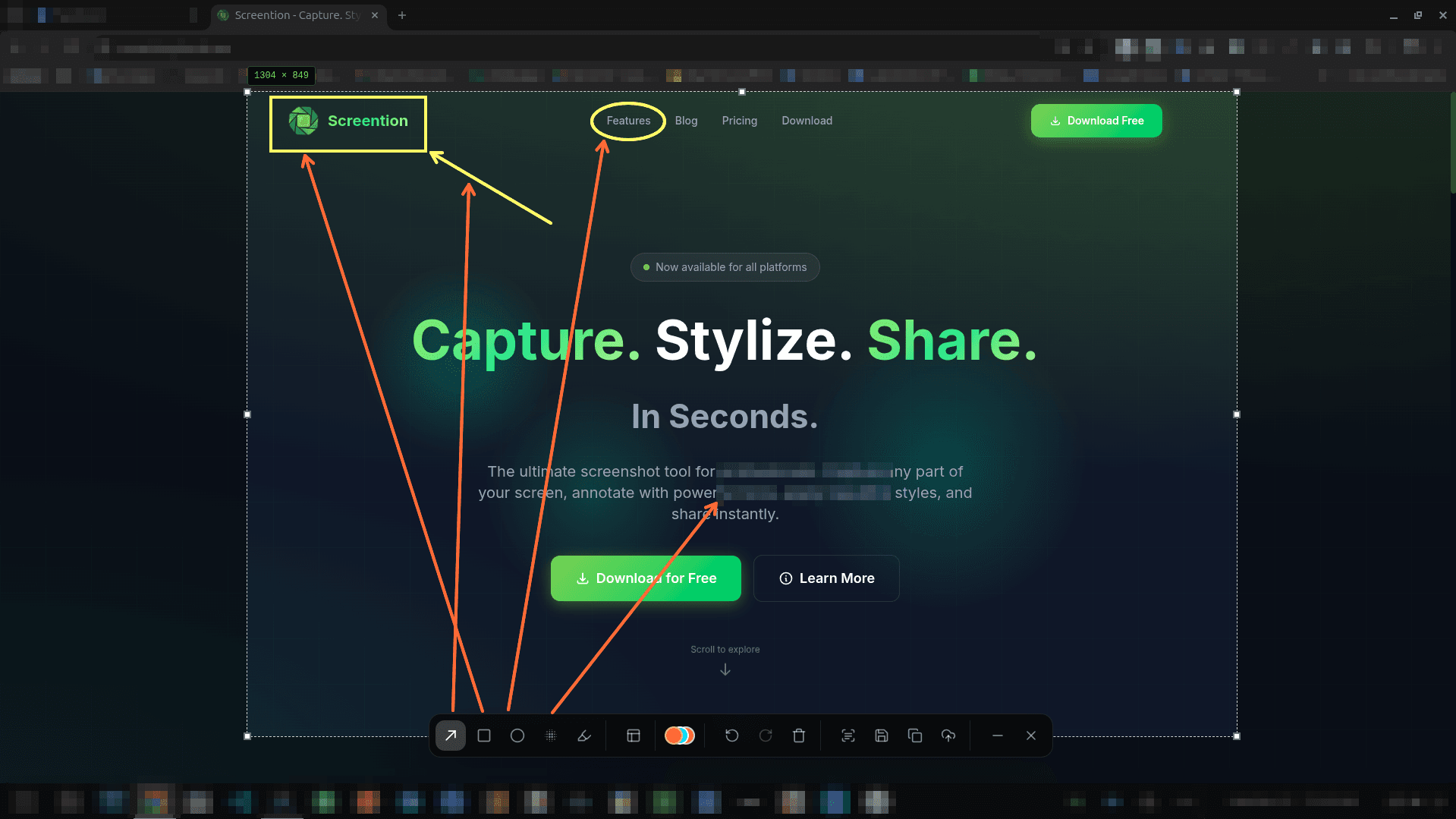
Lightshot doesn't support Linux natively. Don't wrestle with Wine, missing tray icons, or broken Wayland captures. Screention gives you the same rapid area-select, arrow, and markup workflow — built natively for Linux.
$ curl -fsSL https://screention.gkernel.com/install.sh | bashAutomatically detects CPU (amd64 / arm64), fetches the latest .deb, and configures shortcuts.
Why Screention beats running Lightshot in Wine
Running Windows utilities through Wine creates unnecessary overhead and breaks modern Wayland compositors. Here is how Screention compares.
The features Lightshot users love, plus modern upgrades
Fast, responsive, and tailored for developer, designer, and professional workflows on Linux.
Instant Region Selection
Hit your hotkey (Ctrl+Alt+A) to freeze the screen and drag a box. Fine-tune boundaries with pixel precision.
Direct Markup Toolbar
Add arrows, boxes, circles, and highlighters instantly. A curated palette of 12 colors ensures your callouts look clean and readable.
Privacy Redaction Brush
Easily redact API tokens, email addresses, and passwords with Gaussian blur or pixelation before copying or saving.
Offline OCR Text Extraction
Extract text from any non-copyable window, terminal dialog, or video frame with 1-click offline OCR straight to your clipboard.
Native Rust & Tauri Speed
Native compiled binary. Sits quietly in your system tray without chewing CPU or RAM like heavy Wine containers or Electron apps.
Private & Offline
Never worry about accidental public image leaks. Screention saves captures to your local disk with optional manual sharing.
Frequently asked questions
Is there an official Lightshot app for Linux?
No. The official developers of Lightshot (Skillbrains) have never released a native Linux version. Historically, Linux users ran the Windows version via Wine, which leads to slow startup, missing tray icons, and broken Wayland screen capture. Screention solves this by providing a native, lightweight alternative designed specifically for Linux.
How does Screention compare to Lightshot?
Screention provides the same intuitive capture experience: select an area, annotate with arrows, boxes, or highlighters, and copy directly to your clipboard. In addition, Screention adds privacy blur/pixelation, built-in offline OCR text extraction, QR code reading, and full native Wayland and X11 support.
Do I need Wine or emulation to run Screention?
No. Screention is a 100% native Linux application packaged in native formats (.deb for Ubuntu/Debian/Mint, .rpm for Fedora, and standalone .AppImage for Arch and other distros). It starts in milliseconds with minimal system overhead.
Does Screention work on Wayland?
Yes. Lightshot under Wine fails completely on modern Wayland sessions. Screention captures natively via the XDG Desktop Portal and grim fallback, ensuring flawless captures on Ubuntu 22.04/24.04, Fedora, and Arch.
Are my captures private?
Yes. Unlike web-based uploaders that automatically send screenshots to public URLs, Screention is local-first. Your captures, edits, and extracted OCR text stay strictly on your device.