The modern Snipping Tool for Linux
Capture any region, annotate with arrows and highlights, redact sensitive data, and copy instantly to your clipboard. Works natively across Ubuntu, Fedora, Arch, Debian, and Linux Mint.
$ curl -fsSL https://screention.gkernel.com/install.sh | bashAutomatically detects CPU (amd64 / arm64), fetches the latest .deb, and configures shortcuts.
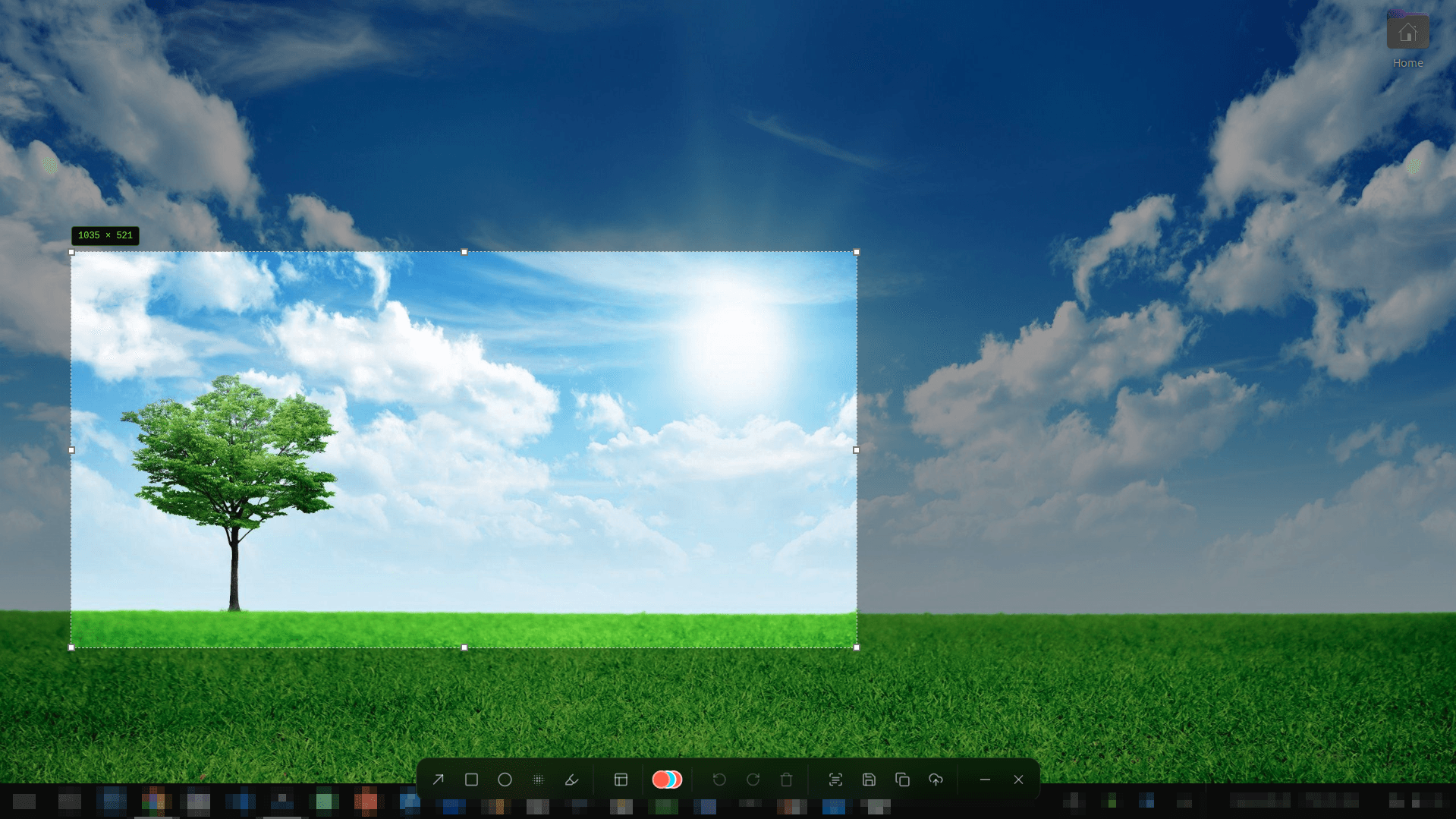
Engineered for speed and precision
No slow Python or heavy Electron runtimes. Screention starts instantly and captures in milliseconds.
Precision Region Snip
Drag to frame any area on your desktop with live pixel-dimension readouts and arrow-key micro-adjustments.
Instant Annotation Toolbar
Draw arrows, circles, rectangles, and freehand markup in 12 curated professional colors without leaving your snip.
Privacy Blur & Redaction
Mask confidential tokens, passwords, and sensitive emails with 1-click Gaussian blur or pixelate before copying.
Offline OCR Text Extraction
Snip any non-selectable text or terminal output and copy the extracted characters straight to your clipboard.
100% Offline & Private
Your screen captures and OCR stay strictly on your local disk. No accounts, no background tracking, and zero telemetry.
Tray Dock & Smart Gallery
Sits quietly in your system tray. Keep track of previous snips in a searchable local gallery for quick re-use.
Native packages for all major distributions
Whatever desktop environment you run — GNOME, KDE Plasma, XFCE, Cinnamon, or tiling WMs like Sway and Hyprland.
Frequently asked questions
How does Screention compare to the Windows Snipping Tool?
Screention reproduces the instant drag-and-markup workflow of the Windows Snipping Tool on Linux: hit your hotkey, select any screen region, annotate directly with arrows, highlights, or blur, and copy directly to the clipboard. Plus, Screention includes built-in offline OCR and QR code scanning.
Which Linux distributions are supported?
Screention supports all major Linux distributions: Ubuntu, Debian, Linux Mint (.deb), Fedora, RHEL, CentOS (.rpm), and Arch Linux, Manjaro, openSUSE via our universal .AppImage.
Does it support both Wayland and X11?
Yes. Screention uses the native XDG Desktop Portal on Wayland sessions (GNOME, KDE Plasma) with automatic fallback to grim for standalone compositors like Sway and Hyprland, as well as native direct X11 capture.
Is Screention fast and lightweight?
Yes. Built with a native Rust backend and Tauri architecture, Screention launches in milliseconds and operates with near-zero idle resource consumption.
How do I trigger the snipping tool?
The default global hotkey is Ctrl+Alt+A. You can also trigger it from the system tray icon or rebind it to PrintScreen or any custom key combination in Settings.