Wayland Screen Capture that just works
No black screens, missing permissions, or hacky environment variables. Screention uses native XDG Desktop Portals and grim to deliver flawless screen captures and in-place annotations across GNOME, KDE Plasma, Sway, and Hyprland.
$ curl -fsSL https://screention.gkernel.com/install.sh | bashAutomatically detects CPU (amd64 / arm64), fetches the latest .deb, and configures shortcuts.
Why Screention succeeds where legacy tools fail
Wayland enforces strict process isolation. Screention bridges the security boundary cleanly using official protocols.
Desktop Environments (GNOME & KDE)
Communicates directly with the Freedesktop XDG Desktop Portal. When you trigger a capture, the compositor grants direct frame access without crashing or showing blank regions.
Tiling Window Managers (Sway & Hyprland)
On custom compositors without portal backends, Screention detects and utilizes grim for rapid frame acquisition, then immediately displays its rich annotation overlay.
Complete annotation toolkit, native on Wayland
No need to export images to GIMP or Pinta just to draw an arrow or redact a credential.
Native XDG Portal Integration
Communicates directly with org.freedesktop.portal.Screenshot and ScreenCast for secure, crash-free Wayland capture.
Automatic Grim Fallback
Built-in fallback to grim ensures flawless captures on Sway, Hyprland, and minimal tiling Wayland window managers.
Instant In-Place Markup
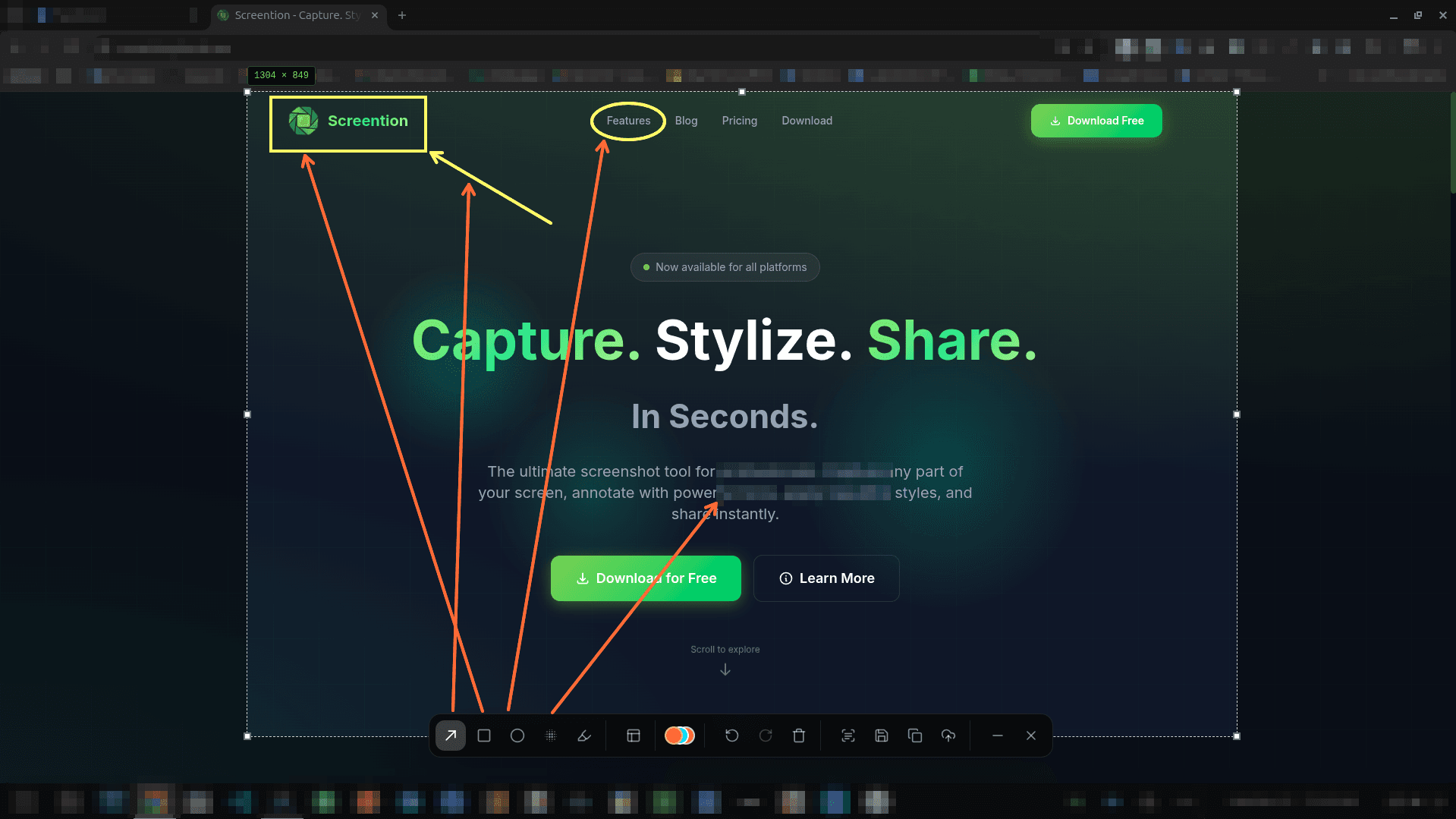
Draw arrows, circles, rectangles, and freehand markup in 12 curated colors directly on your captured area.
Privacy Blur & Redaction
Mask confidential server hostnames, tokens, and passwords with 1-click Gaussian blur or pixelation.
Offline OCR to Clipboard
Extract text from error messages, terminal sessions, or video frames directly to your clipboard with zero latency.
100% Local & Private
All screen captures and OCR stay on your local machine. No external cloud uploads, no logins, zero telemetry.
Frequently asked questions
Why do older screenshot tools like Flameshot break on Wayland?
Under the legacy X11 display server, any application could read the entire screen buffer without restriction. Wayland isolates client windows for security, so traditional screen-grabbing APIs return black screens or permission errors. Screention communicates with the native XDG Desktop Portal (the official Freedesktop security standard) to request screen buffers securely from your compositor.
Which Wayland compositors are supported?
Screention supports all major Wayland environments: GNOME Shell (Mutter) on Ubuntu/Fedora/Debian, KDE Plasma (KWin), and standalone tiling compositors like Sway, Hyprland, and river via our built-in grim fallback.
What if my compositor doesn't implement the XDG Desktop Portal?
For lightweight or custom Wayland compositors that lack a portal backend, Screention includes an automatic fallback to grim. Simply install grim through your package manager (e.g., sudo apt install grim or sudo pacman -S grim), and Screention routes capture requests through grim seamlessly.
Can I annotate directly on Wayland captures?
Yes. Once the screen is captured, Screention displays an instant in-place annotation toolbar with arrows, boxes, circles, highlighters, privacy blur/pixelation, and offline OCR text extraction.
How do I install Screention on a Wayland system?
You can run our 1-line script (curl -fsSL https://screention.gkernel.com/install.sh | bash) on Ubuntu/Debian/Mint, install via .rpm on Fedora, or run our universal .AppImage on Arch/Manjaro.