Everything You Need to Capture Perfectly
Screention combines a precision capture engine, a professional annotation suite, and beautiful background styling into one desktop app — available free on Windows, macOS, and Linux.
Precision Region Capture
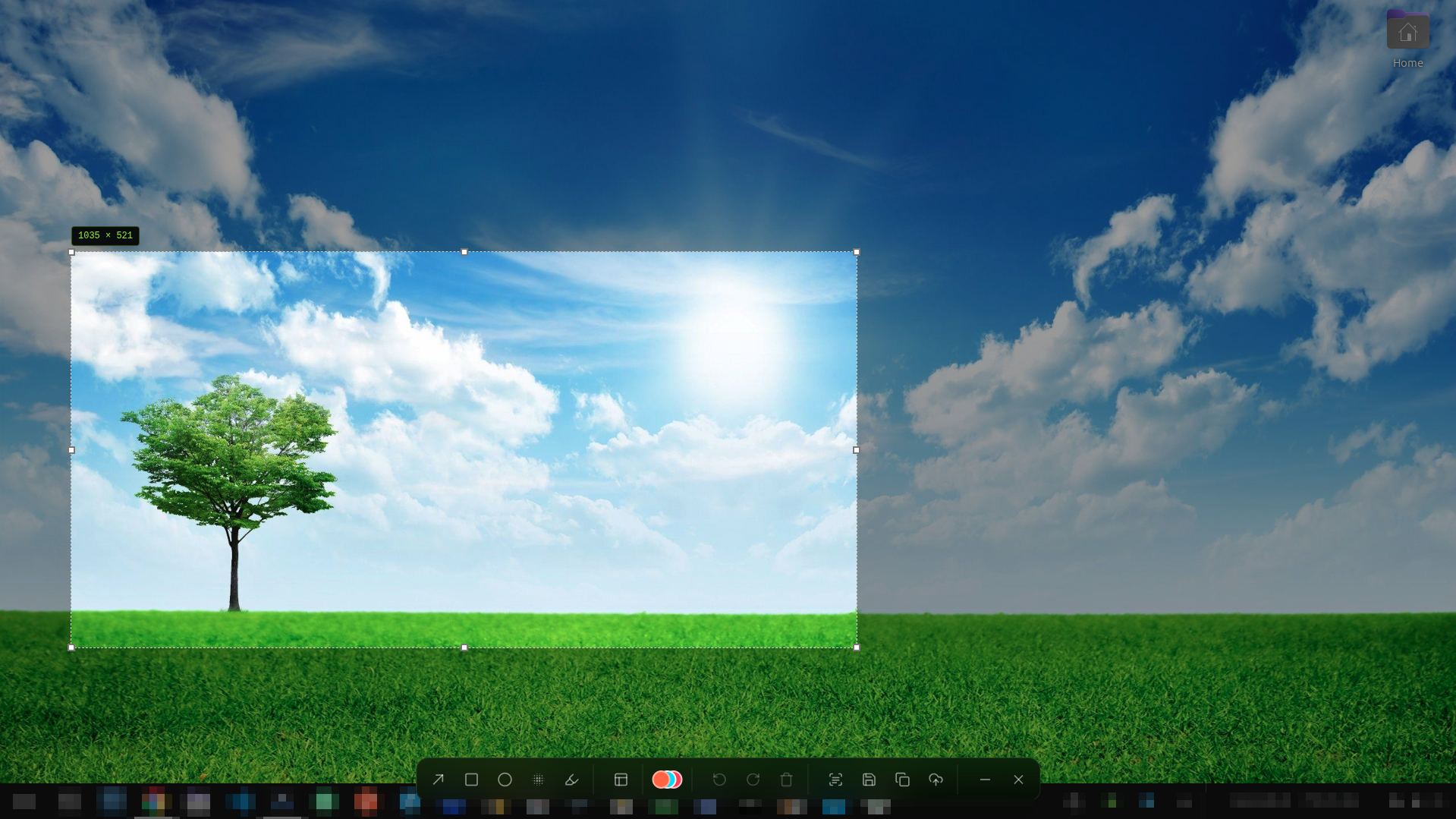
Click and drag any region. A live pixel size label follows the selection, and the annotation toolbar stays on the overlay so you can mark up the shot before you save.
- ✓Click-and-drag selection with a live border
- ✓Width × height readout that stays on screen
- ✓Arrow keys expand the selection by 1px
- ✓Shift + arrows contract the selection by 1px
- ✓Annotation toolbar appears on the same overlay
- ✓Escape pauses capture while preserving your selection and annotations
- ✓Hardware-accelerated double paint sync eliminates capture flicker
Professional Annotation Toolbar
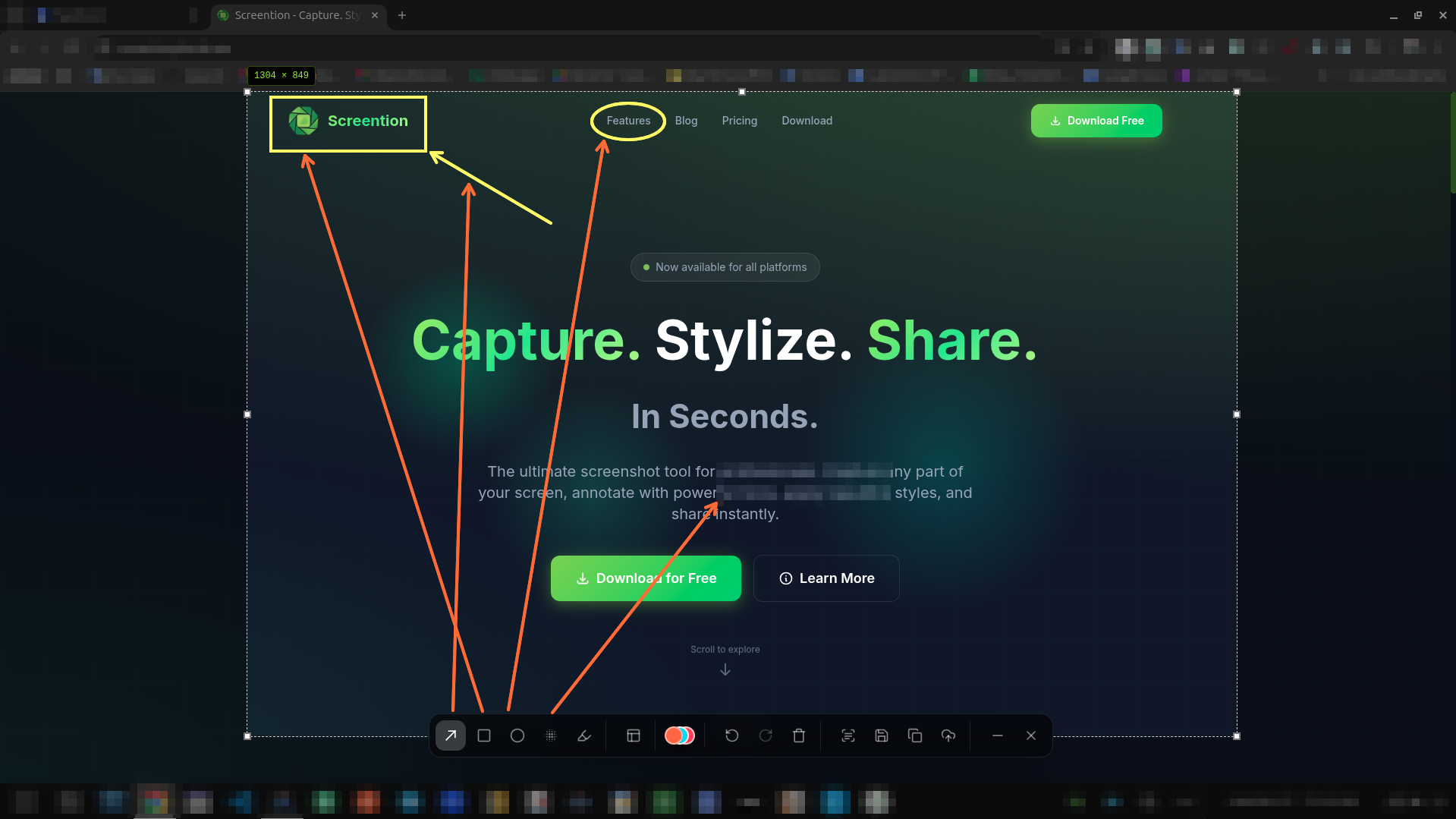
The toolbar sits on the capture overlay. Draw arrows, rectangles, and circles; blur sensitive data; highlight what matters; then undo or redo without leaving the shot.
- ✓Arrow tool to point at specific UI
- ✓Rectangle and circle overlays
- ✓Blur tool to redact sensitive information
- ✓Highlighter for emphasizing text
- ✓12-color palette on the toolbar
- ✓Undo and redo
Stylized Backgrounds
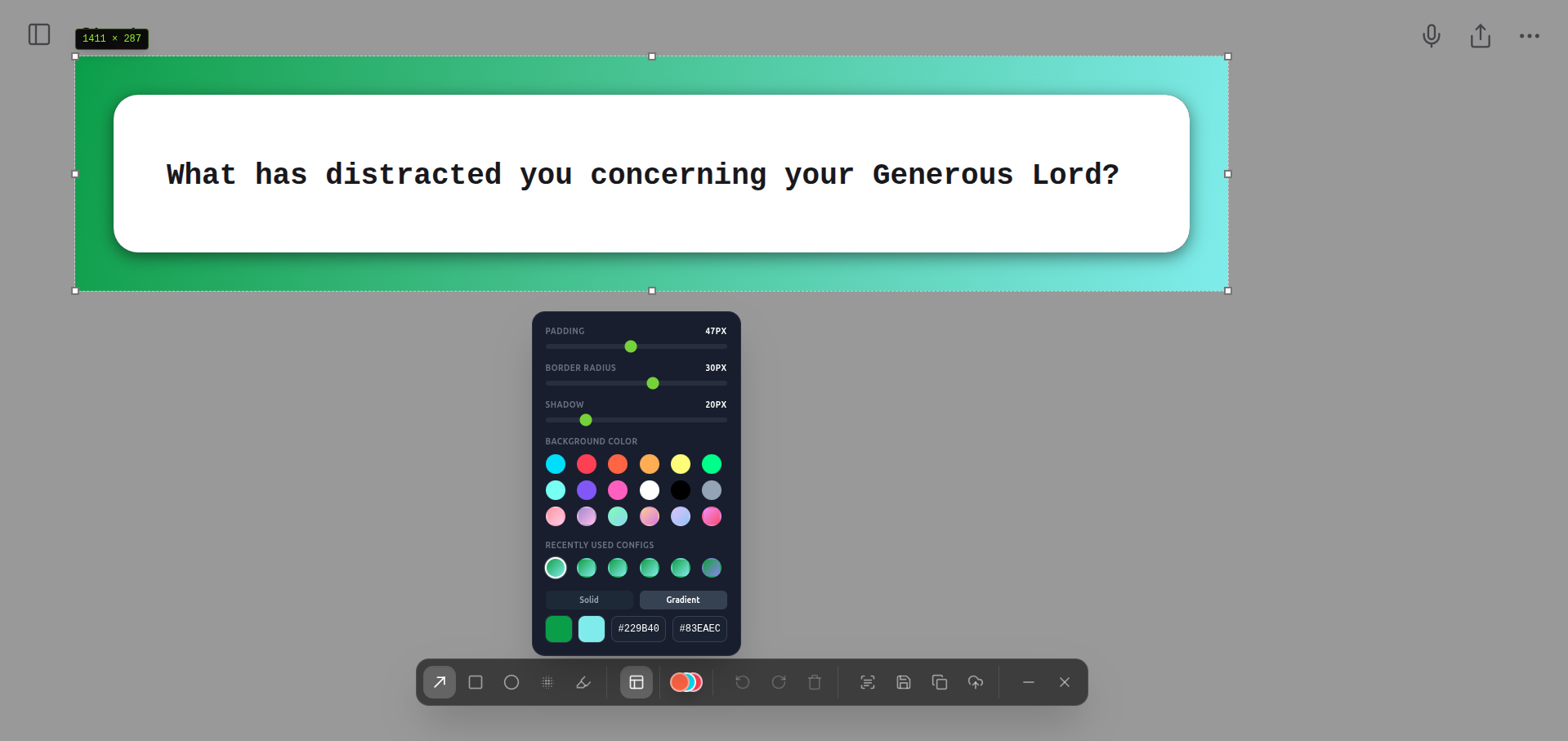
Make screenshots pop with beautiful backgrounds. Choose from solid colors or gradient presets, control padding, border radius, and shadow depth — perfect for presentations, portfolios, and social media.
- ✓Solid and gradient background modes
- ✓12 solid presets and 6 gradient presets
- ✓Custom hex input for solid or gradient stops
- ✓Padding slider (0–100px)
- ✓Border radius slider (0–50px)
- ✓Shadow slider (0–100px)
- ✓Recently used configs for quick reuse
Annotation Color Picker
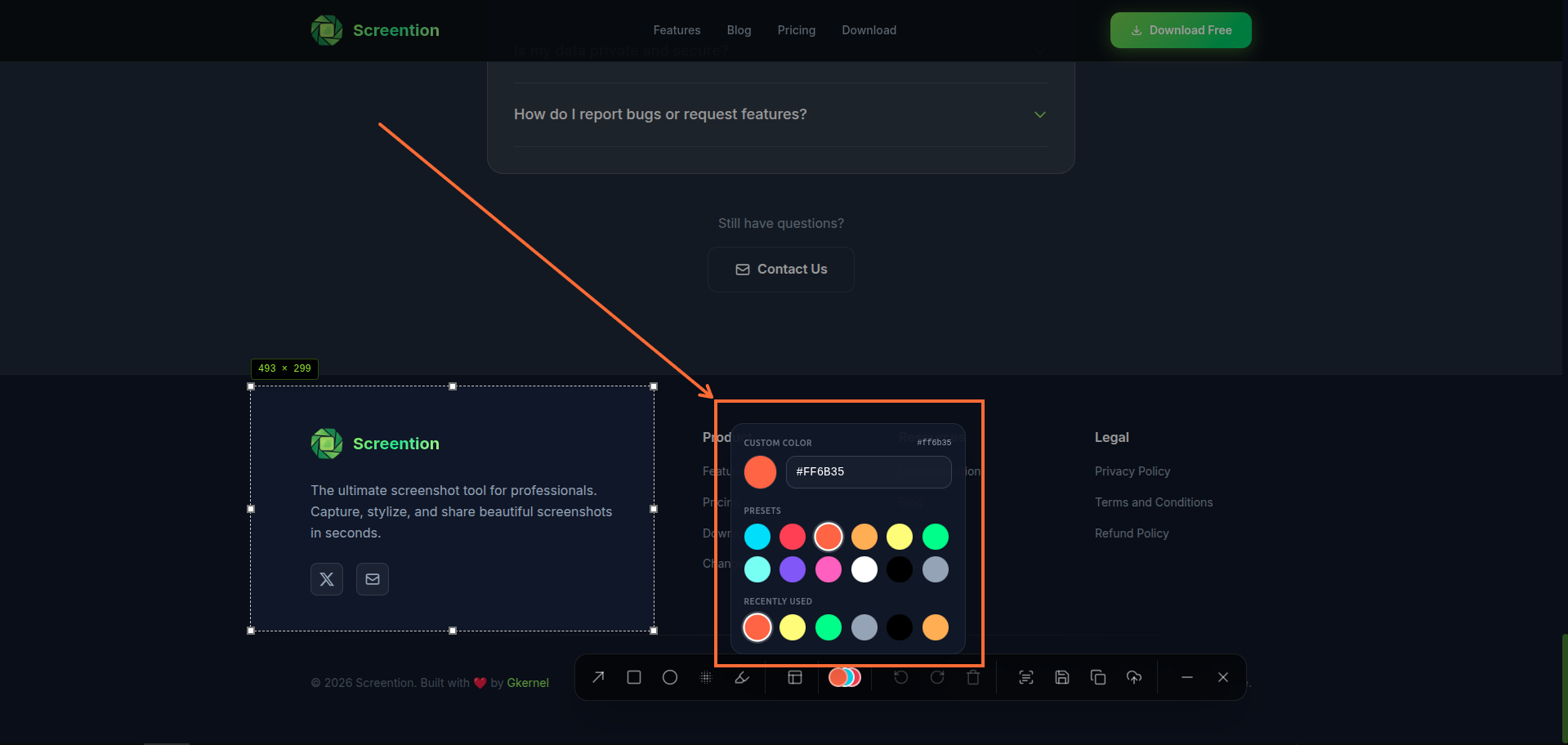
Pick the perfect color for every annotation. The advanced color picker gives you preset swatches, a custom hex input, and a recently-used history — so your style stays consistent across captures.
- ✓Instant color presets (12 key colors)
- ✓Custom hex value field
- ✓Recently used colors history
- ✓Color applies immediately to active tool
- ✓Consistent across all annotation types
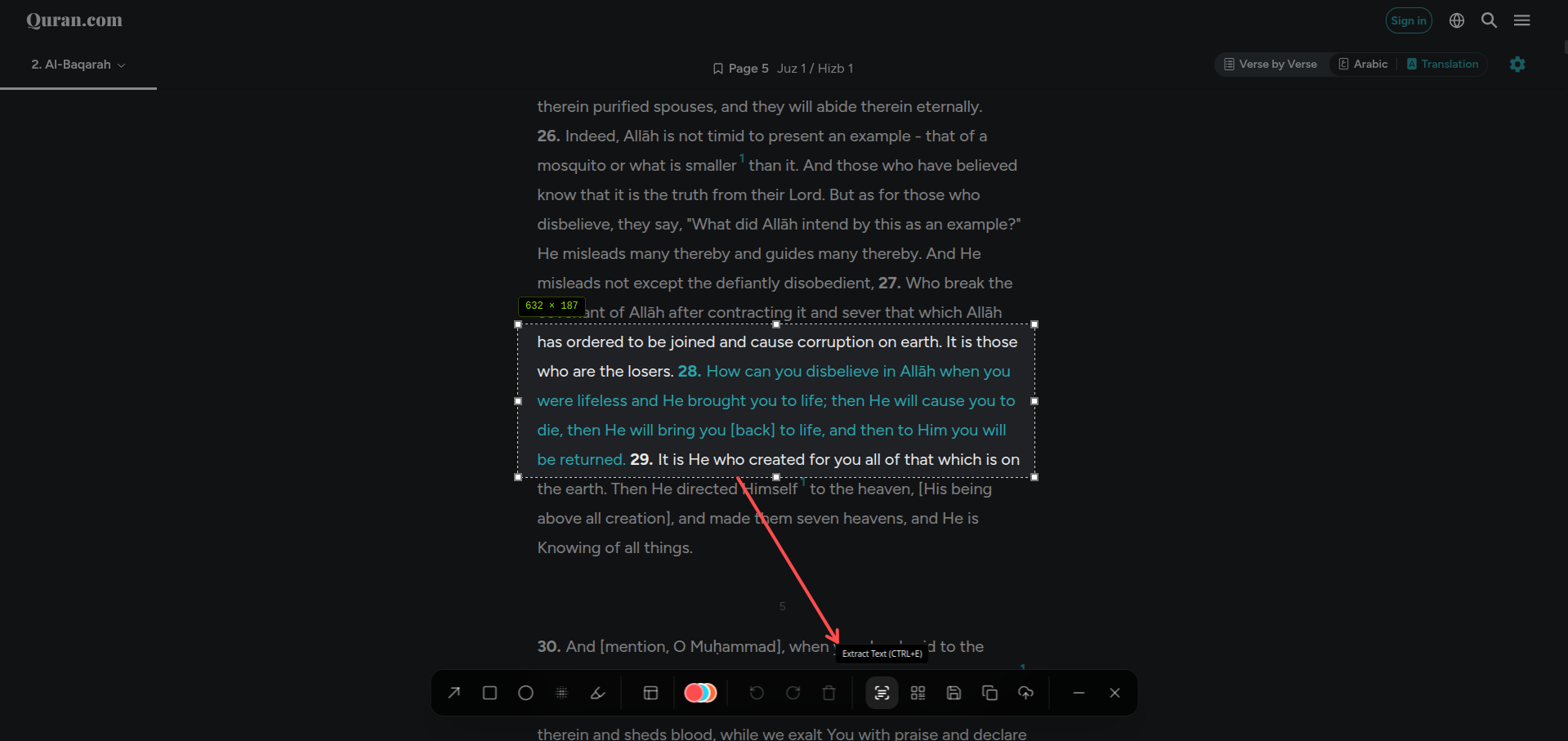
OCR Text Extraction
Extract English text from the selected region with on-device OCR. Copy error messages, code, or UI copy to the clipboard without sending the image anywhere.
- ✓Extract via Ctrl/Cmd+E or the toolbar
- ✓100% offline — bundled local Tesseract WebAssembly engine
- ✓Bundled English language traineddata (no network downloads)
- ✓Copied to the clipboard when text is found
- ✓English language model
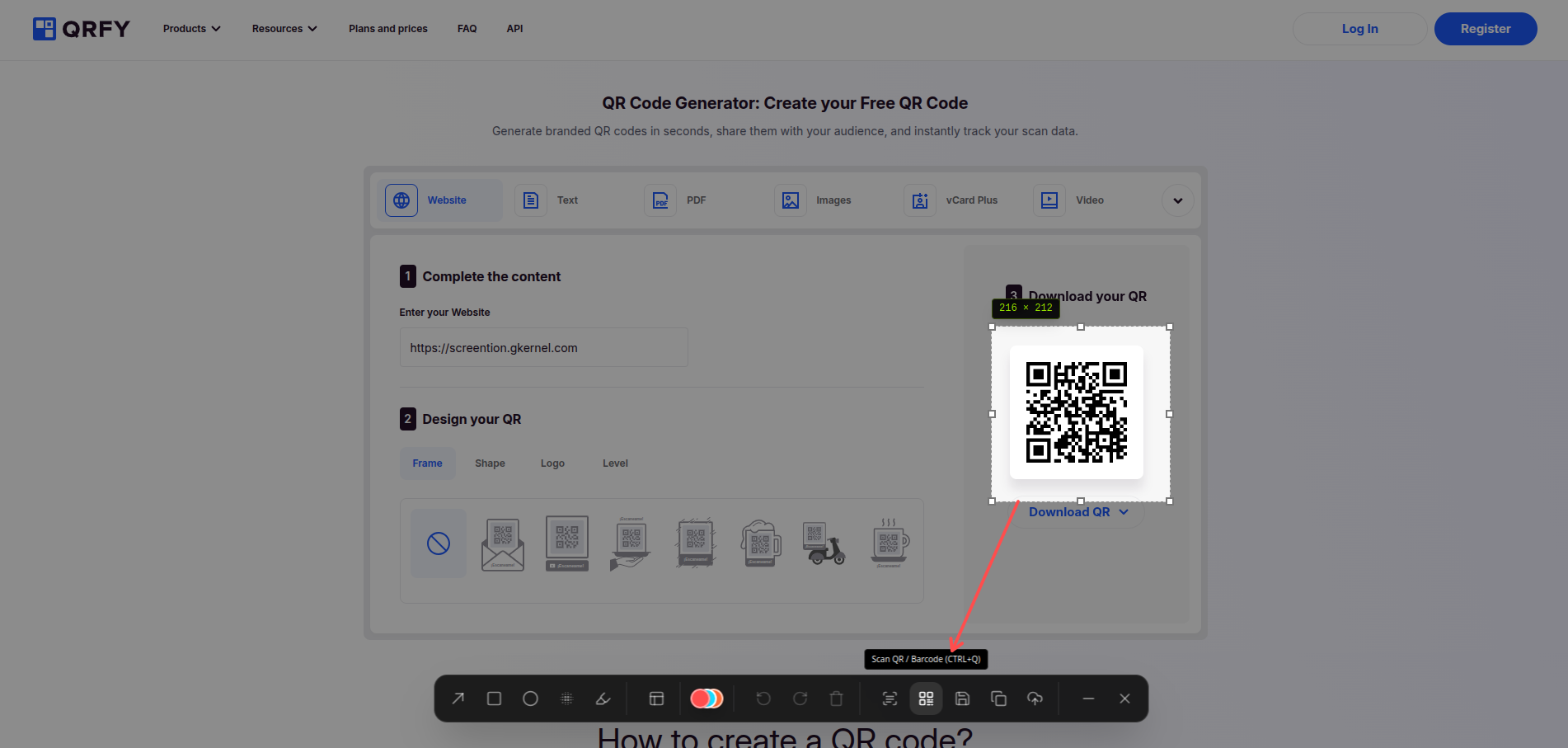
Barcode & QR Scanner
Select a barcode or QR code in the capture overlay and copy the payload instantly. Scanning stays on your device — no camera app or cloud API.
- ✓One-click scan via Ctrl+Q (Windows/Linux) or the toolbar button
- ✓Multi-scale analysis for wide margins and varied contrast
- ✓Works on QR codes and common 1D barcodes
- ✓Copied to clipboard on success
- ✓Clear empty-state if nothing is found
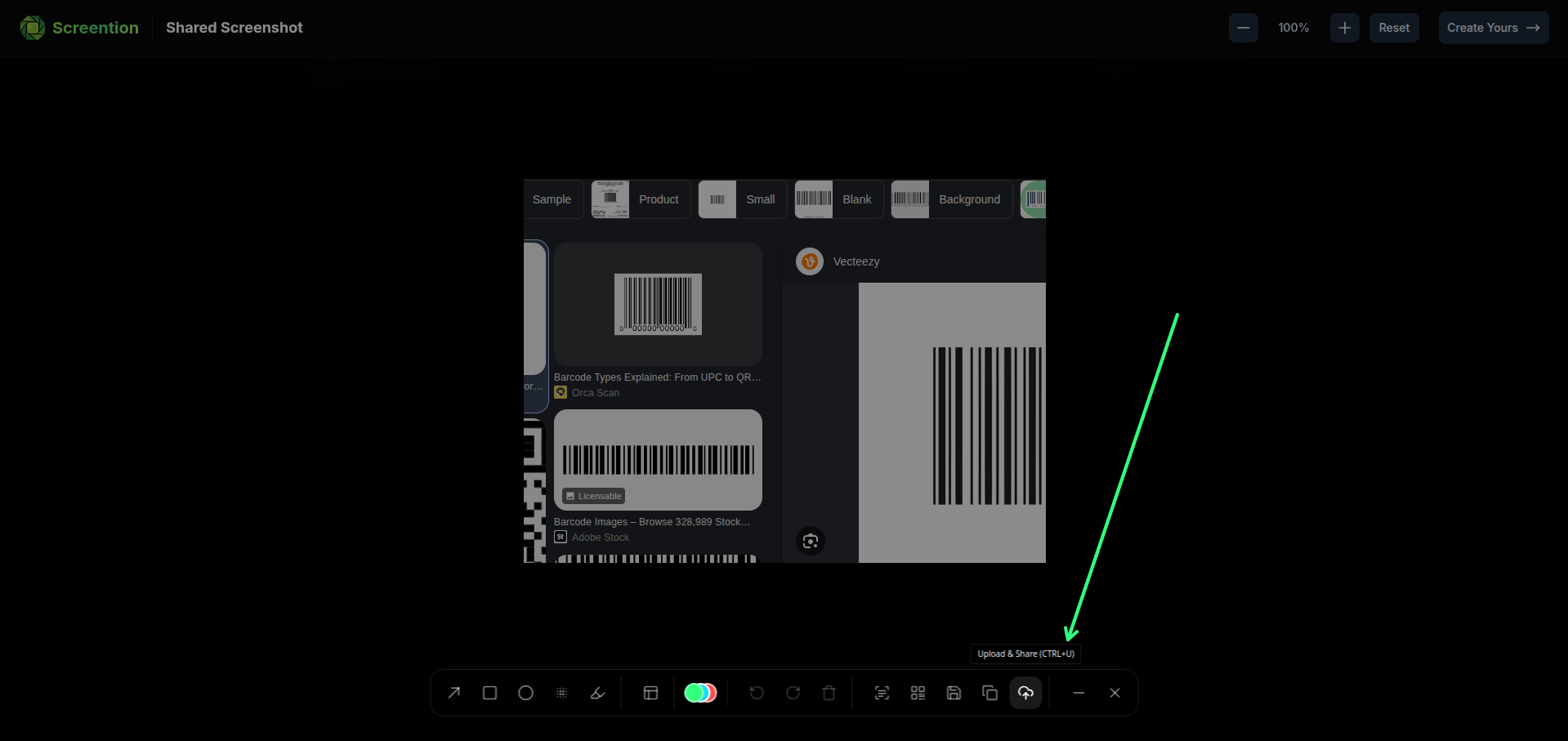
Optional Cloud Share Link
Keep captures local by default. When you want a link, upload from the overlay or gallery and copy a view URL — nothing is uploaded until you choose to.
- ✓Upload from the annotation toolbar (Ctrl/Cmd+U)
- ✓Link copied to clipboard when ready
- ✓Upload from the gallery for older shots
- ✓Local save and clipboard copy never require the network
Smart Screenshot Gallery
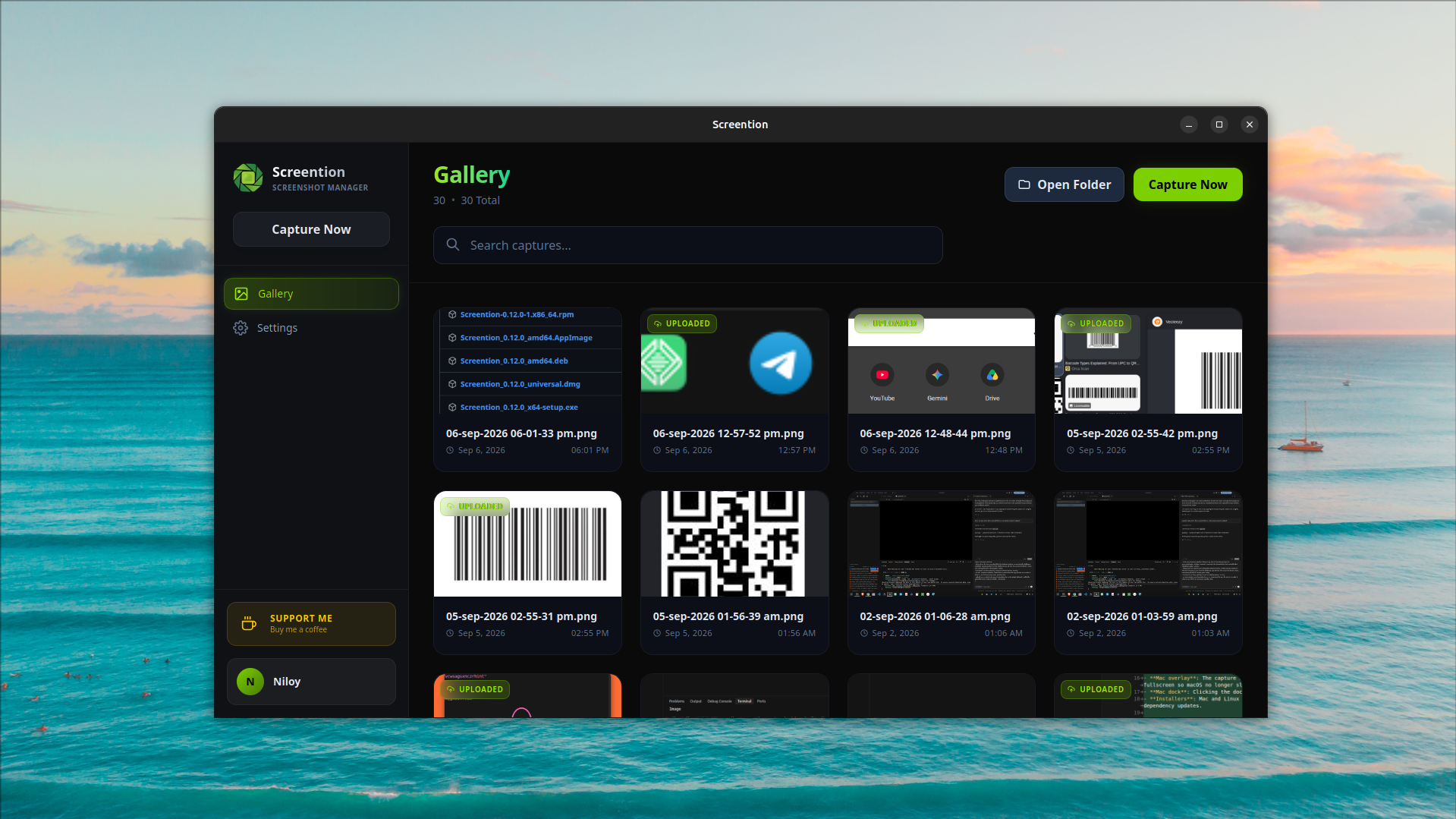
When you save a capture, it lands in the local gallery. Search by filename, preview, add a note, copy it again, or open the folder in your file manager.
- ✓Saved shots listed by date
- ✓Search by filename or note
- ✓Inline preview in the app
- ✓Add a note to any screenshot
- ✓Open the gallery folder in your file manager
- ✓Copy to clipboard from the gallery
Ready to Experience All of This?
Download Screention for free and start capturing, annotating, and stylizing your screenshots like a pro — in seconds.
Free forever · No account required · Windows, macOS & Linux