The modern Linux Screenshot Tool
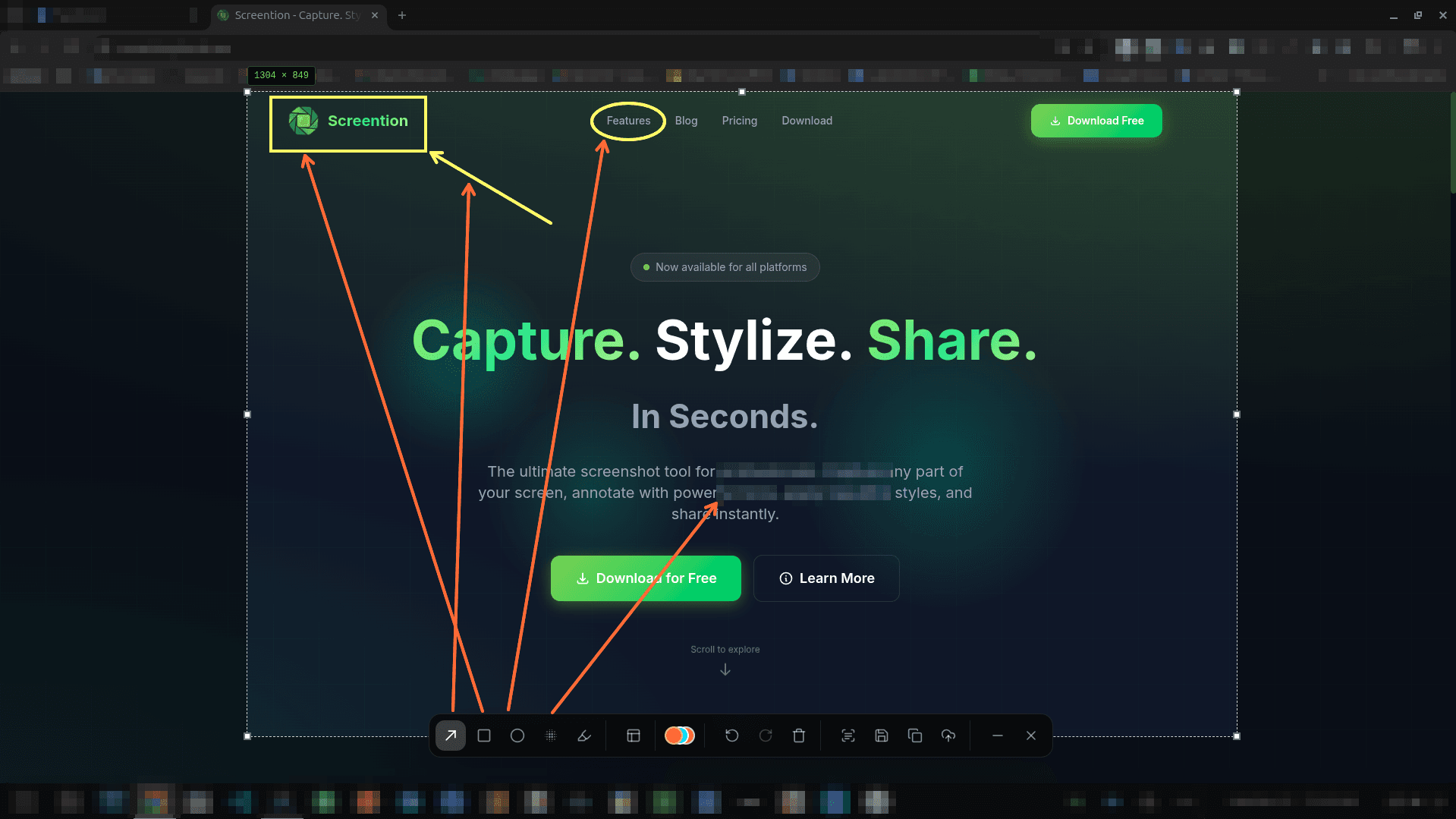
Fast, native, and privacy-first. Capture any desktop area, annotate inline with arrows and highlights, redact sensitive data, and extract text via offline OCR on Wayland and X11.
$ curl -fsSL https://screention.gkernel.com/install.sh | bashAutomatically detects CPU (amd64 / arm64), fetches the latest .deb, and configures shortcuts.
Everything you need in a desktop screenshot tool
Carefully crafted for Linux users who value speed, privacy, and clean workflow.
Instant In-Place Capture
Trigger with Ctrl+Alt+A or PrintScreen, select any desktop region with live pixel coordinates, and adjust with arrow keys.
Rich Annotation Toolkit
Add arrows, boxes, circles, and freehand markup directly on your selection in 12 carefully selected colors.
Gaussian Blur & Pixelate
Shield passwords, tokens, and personal information before sharing bug reports or screenshots.
Client-Side OCR Extraction
Extract text from error messages, terminal logs, or video frames directly to your clipboard without third-party APIs.
Native Rust Performance
Built with Rust and Tauri for instant startup, responsive hotkey triggers, and minimal idle resource consumption.
100% Offline & Local-First
Screenshots remain on your local disk. No accounts, no forced telemetry, and no mandatory cloud uploads.
Works across the entire Linux ecosystem
One unified capture tool with native packages tailored to your package manager.
Ubuntu, Debian & Mint
Available as a native .deb package or 1-line script that automatically sets up dependencies and icons.
Fedora & RHEL
Native .rpm package for DNF package manager. Full integration with modern GNOME Wayland desktop.
Arch Linux & WMs
Standalone .AppImage with seamless grim integration for Sway, Hyprland, and custom tiling window managers.
Frequently asked questions
Why choose Screention over traditional Linux screenshot tools?
Many traditional Linux tools are either legacy C++/Qt apps with complex dependencies, unmaintained projects with Wayland issues, or basic utilities that lack inline markup. Screention is built with a modern, lightweight Rust backend, starts in milliseconds, supports Wayland and X11 natively, and includes advanced utilities like offline OCR and QR code scanning.
Does Screention run as a background service?
Yes. Screention sits quietly docked in your Linux system tray or top bar notification area, consuming minimal background resources and virtually zero CPU when idle. It responds instantly to your configured global hotkeys.
How does it handle Wayland compositors?
On Wayland sessions like GNOME Shell and KDE Plasma, Screention integrates natively with the XDG Desktop Portal. For lightweight or tiling compositors like Sway and Hyprland, Screention includes an automatic fallback to grim.
Can I extract text or scan QR codes from screenshots?
Yes. Screention includes a 100% offline OCR engine that extracts text from any screen selection straight to your clipboard, as well as an automatic QR code and barcode scanner.
Is Screention free?
Yes. Screention is free to download and use on Linux, macOS, and Windows with full access to all annotation tools, OCR, and local gallery features.