Native Screenshot Program for Linux
A high-performance desktop program for Linux that sits quietly in your system tray. Capture any area, annotate with arrows and highlights, redact sensitive data, and extract text with offline OCR in seconds.
$ curl -fsSL https://screention.gkernel.com/install.sh | bashAutomatically detects CPU (amd64 / arm64), fetches the latest .deb, and configures shortcuts.
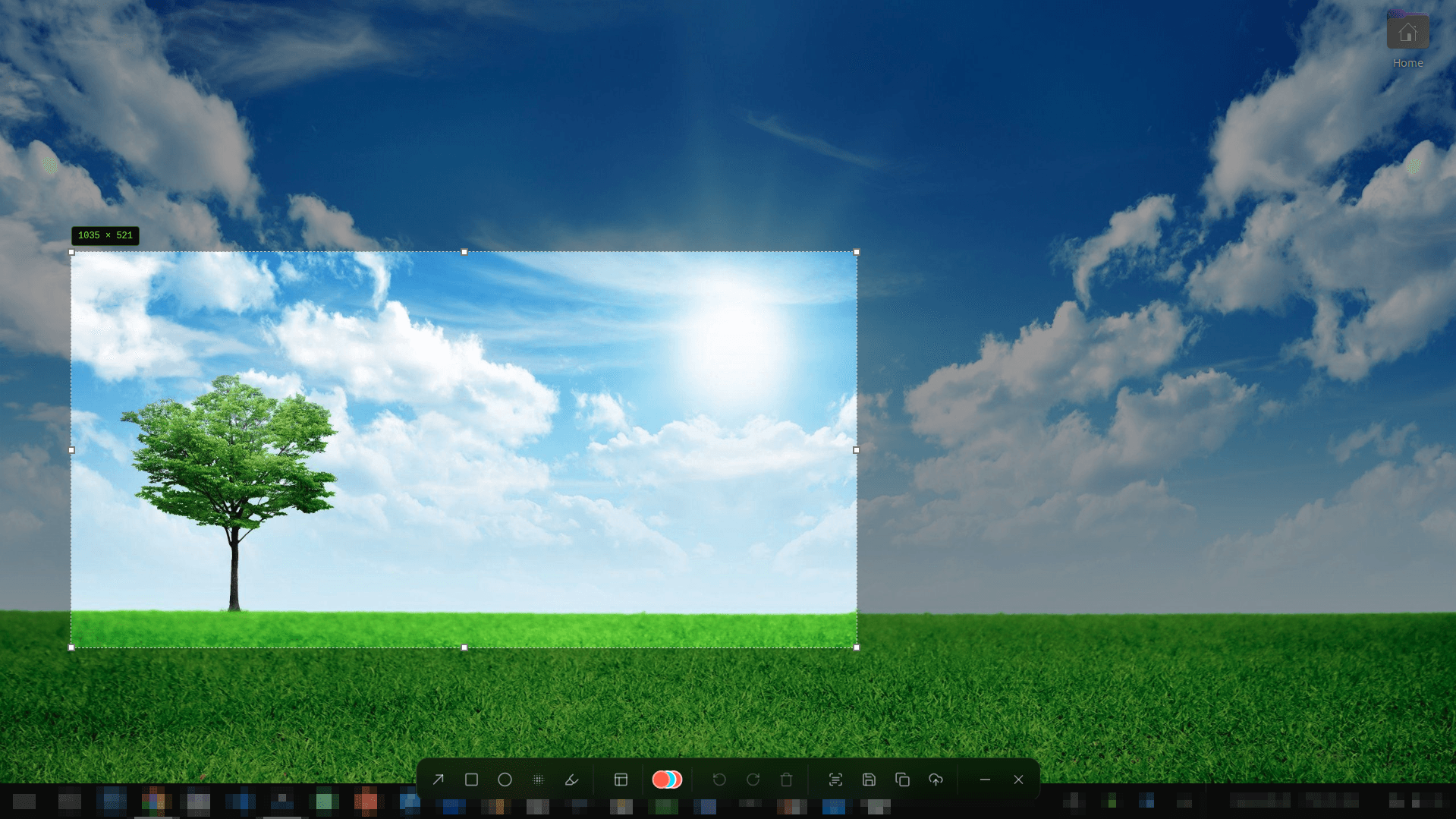
Everything you expect in a modern Linux program
No complex dependencies or command-line scripting required. Just install and capture.
Precision Region Capture
Snip any area with live pixel dimensions and fine-tune boundaries using keyboard arrow keys.
Inline Annotation Suite
Draw crisp arrows, highlight text, and box elements in 12 vibrant colors right on your screen.
Credential Redaction
Mask confidential API keys, passwords, and private messages with instant Gaussian blur or pixelation.
Offline OCR & Barcode Reader
Extract text from dialogs, videos, or code snippets straight to your clipboard with zero network requests.
System Tray Daemon & Gallery
Runs quietly in your top bar or tray. Browse and re-copy past captures from the built-in Smart Gallery.
Instant Startup & Rust Engine
Launches in milliseconds with a compiled native Rust backend, free from the memory bloat of Electron or heavy Python runtimes.
Packaged for your distribution of choice
Clean native packages that integrate with your desktop application menu and system notification area.
Debian & Ubuntu
Native .deb package with desktop entry and MIME bindings.
Fedora & RHEL
Native .rpm package tested on Fedora 39, 40, and 41.
Arch & Universal
Standalone AppImage with zero external runtime dependencies.
Frequently asked questions
What makes Screention different from command-line screenshot utilities?
While command-line tools like scrot or import can capture screen areas, they lack interactive markup tools. Screention is a full-featured desktop program that docks into your system tray, responds to global hotkeys, and immediately provides an overlay toolbar with arrows, boxes, blur, and text extraction without opening external image editors.
How does Screention perform on system resources?
Screention is built with Rust and Tauri for maximum efficiency. It runs silently in the background with minimal idle resource consumption and triggers instantly when called.
Does it work with modern Wayland compositors?
Yes. Screention integrates natively with the XDG Desktop Portal used by GNOME Shell and KDE Plasma, and has automatic grim fallback support for lightweight Wayland compositors like Sway and Hyprland.
Can I customize the screenshot hotkey?
Yes. In Screention's Settings, you can configure your preferred global shortcut, including Ctrl+Alt+A, PrintScreen, or any custom key combination.
Is an internet connection required to use Screention?
No. Screention is 100% offline and local-first. All screenshots, image edits, and OCR text extraction are performed entirely on your device with no data sent to external servers.